Tree View
Tree View was one of the first new components added to the Carbon Design System’s core library. It emerged from a real customer need: teams across IBM were asking users to navigate large hierarchies of data, but Carbon had no native way to support that pattern.
I led the UX work to define the component, from initial discovery and requirements gathering through interaction design, visual design, accessibility alignment, documentation, and design kit support. The result was a standards-based, community-driven component that gave product teams a reliable way to build accessible data trees while reducing duplicated effort and ad-hoc implementations.
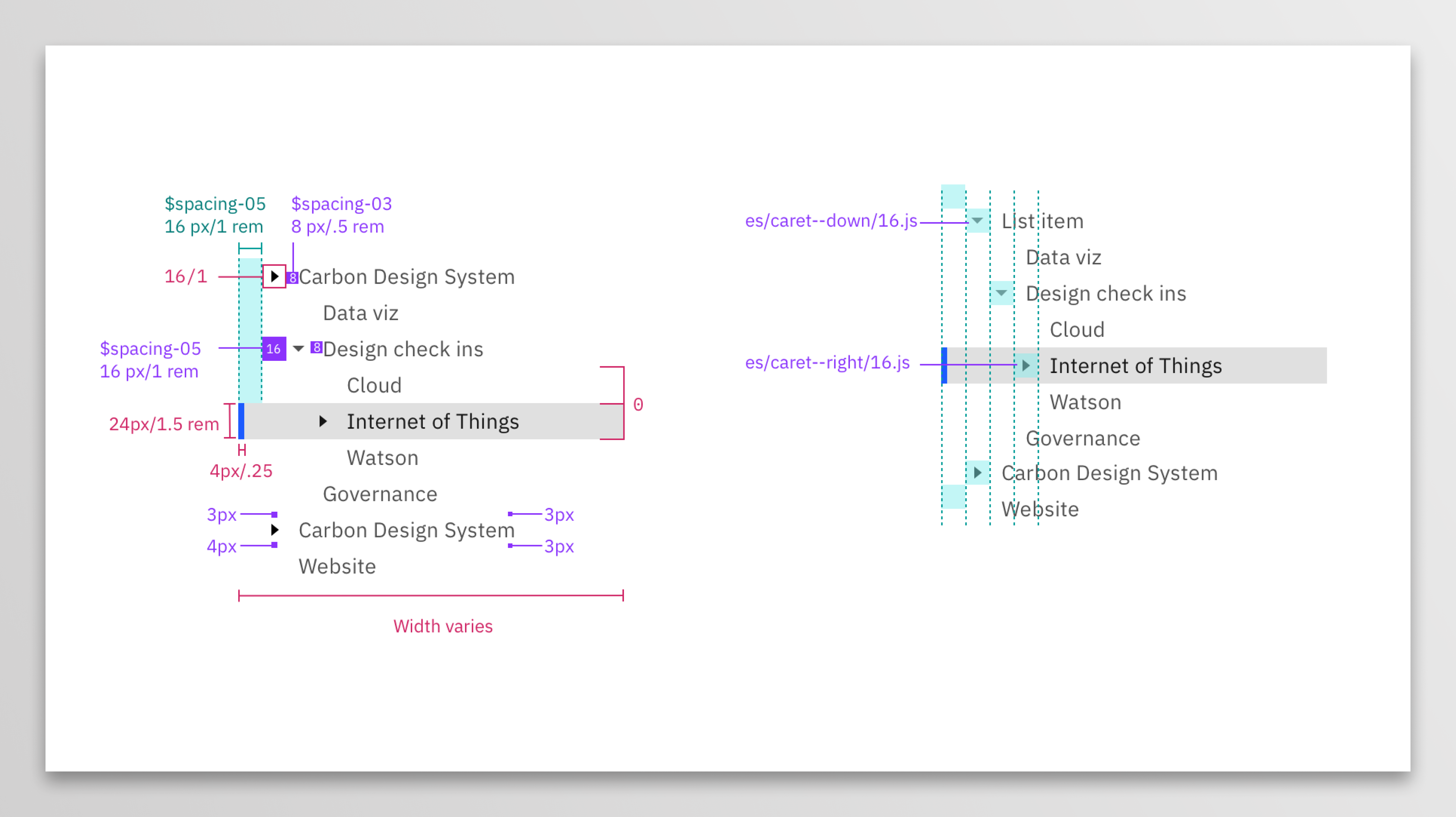
Tree View in the Carbon Design System showing nested nodes and design specifications.
Role: UX Designer
Timeframe: ~1 year of active design and iteration
Team: 1 UX designer (me), 1 front-end engineer, Carbon design leadership, contributing designers from Carbon's community
As the primary designer for Tree View, I defined the UX, interaction model, and visual design for one of Carbon’s first major new components. I worked closely with engineering to translate WAI-ARIA standards into practical behaviors and partnered with the Accessibility Guild to ensure AA compliance. I documented requirements openly with the community, collaborated across teams, and delivered the final specifications and experimental Sketch library used for early validation.
This work began not with a roadmap, but with a placeholder GitHub issue I opened during a client workshop. The client relied heavily on hierarchical navigation and lacked a Carbon component that could support their product.
The issue gained interest internally and externally. When people started sharing their solutions, we realized that our users were filling a gap in our library by hacking together similar components or creating it from scratch.
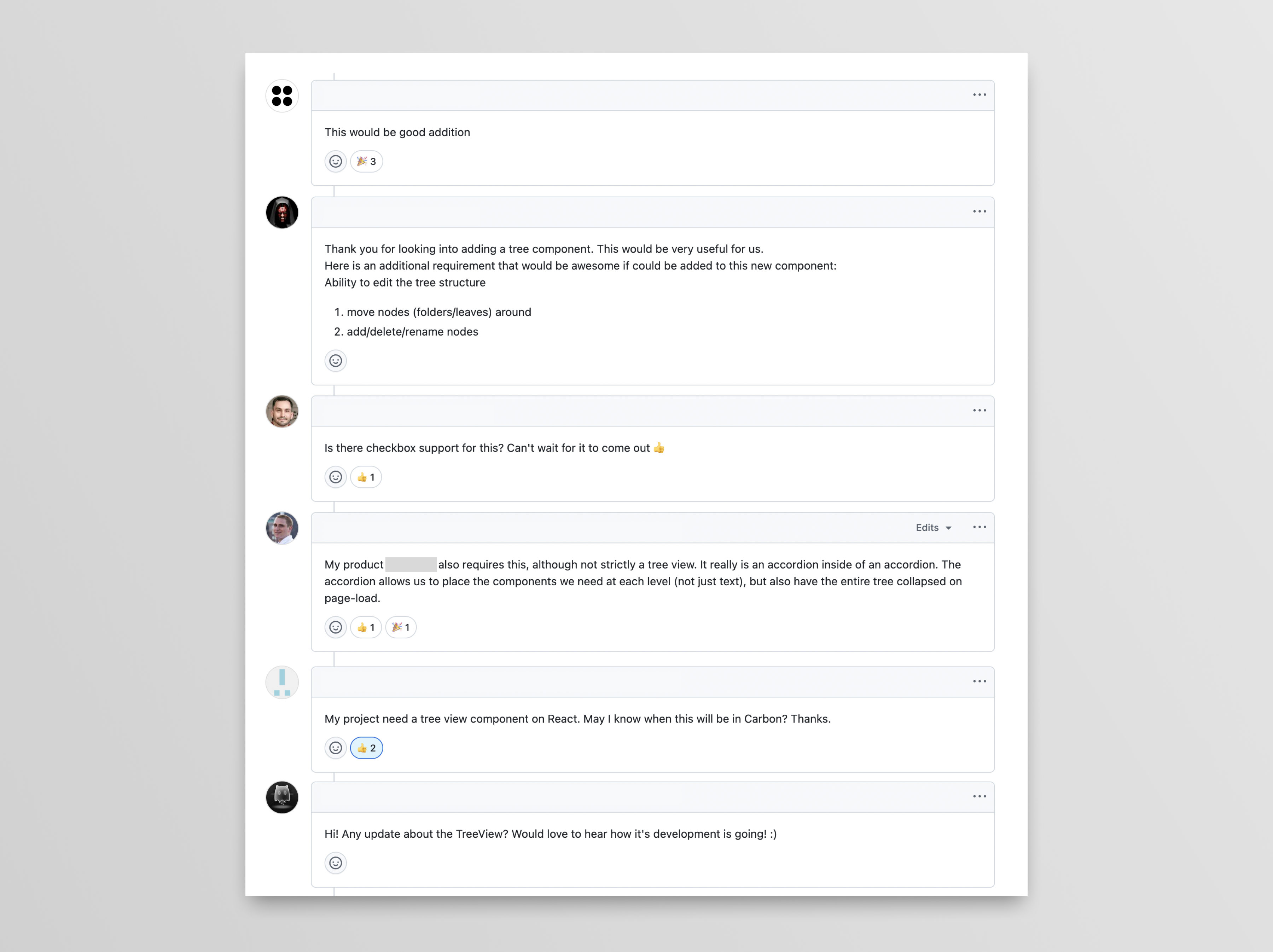
Community discussion around the need for the tree view component.
It became obvious that teams were solving the same problem in different ways. There was no shared standard, no common behavior model, and no guarantee that any of these implementations met accessibility expectations. It was a clear signal that Carbon needed to step in with a well-defined, reusable solution.
I began by auditing existing examples across IBM products and in-flight designs. Some teams used hacked accordions, some built their own trees from scratch, and others were still trying to decide how to model their data with Carbon's existing components. Alongside that audit, I studied W3C guidance on Tree View and related patterns.
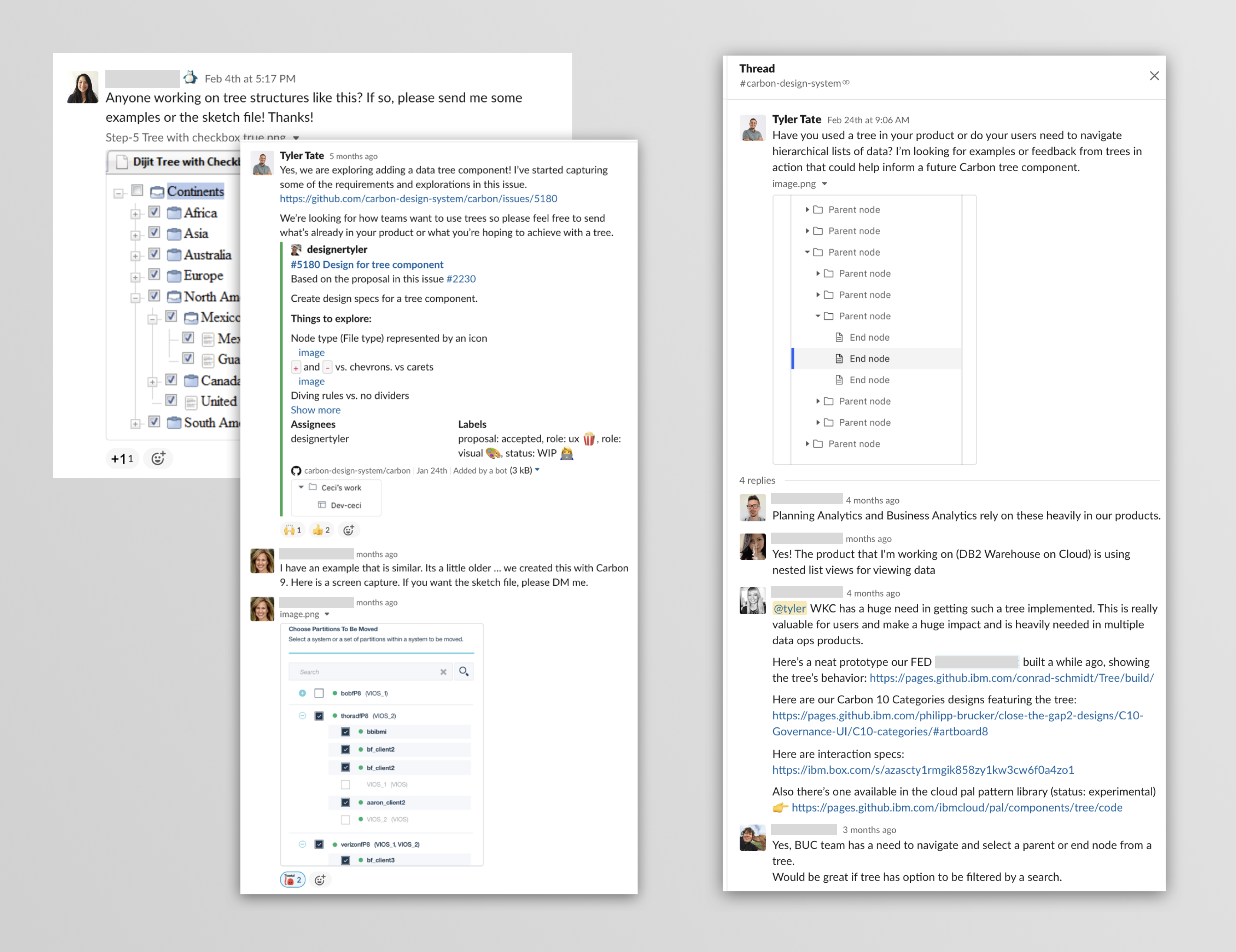
Soliciting feedback from internal teams.
To make sense of the feedback, I documented user needs in two layers. First, the needs of the end user interacting with the tree and then the team implementing the tree View.
As an end user I need to...
-
...
- Open a parent node without it taking selection so I can keep my current selection in view while I open/close other nodes in the tree.
- Collapse a parent with a selected child without the parent taking the selection state to avoid accidental selection change.
- See which node is selected even if the parent node is collapsed so I know when a hidden child is selected (Parent node inherits the selected state?) ...
As a product team implementing a data tree, I need to...
-
...
- Have the option to represent the node's file type by an icon so the user can understand the node's file type.
- Have the option to not use a file type icon when the file type is not important for my data.
- Show a node as disabled so the user knows it cannot be active.
Accessibility was not an afterthought. The ARIA Tree pattern defines how focus should move, how expand and collapse work, how type-ahead behaves, and how screen readers should interpret the structure. I worked closely with our engineering partner to translate these rules into specific interaction details for Carbon.
Right arrow
When focus is on a closed node, opens the node; focus does not move.
When focus is on an open node, moves focus to the first child node.
When focus is on an end node, does nothing.
Left arrow
When focus is on an open node, closes the node.
When focus is on a child node that is also either an end node or a closed node, moves focus to its
parent
node.
When focus is on a root node that is also either an end node or a closed node, does nothing.
Down Arrow
Moves focus to the next node that is focusable without opening or closing a node.
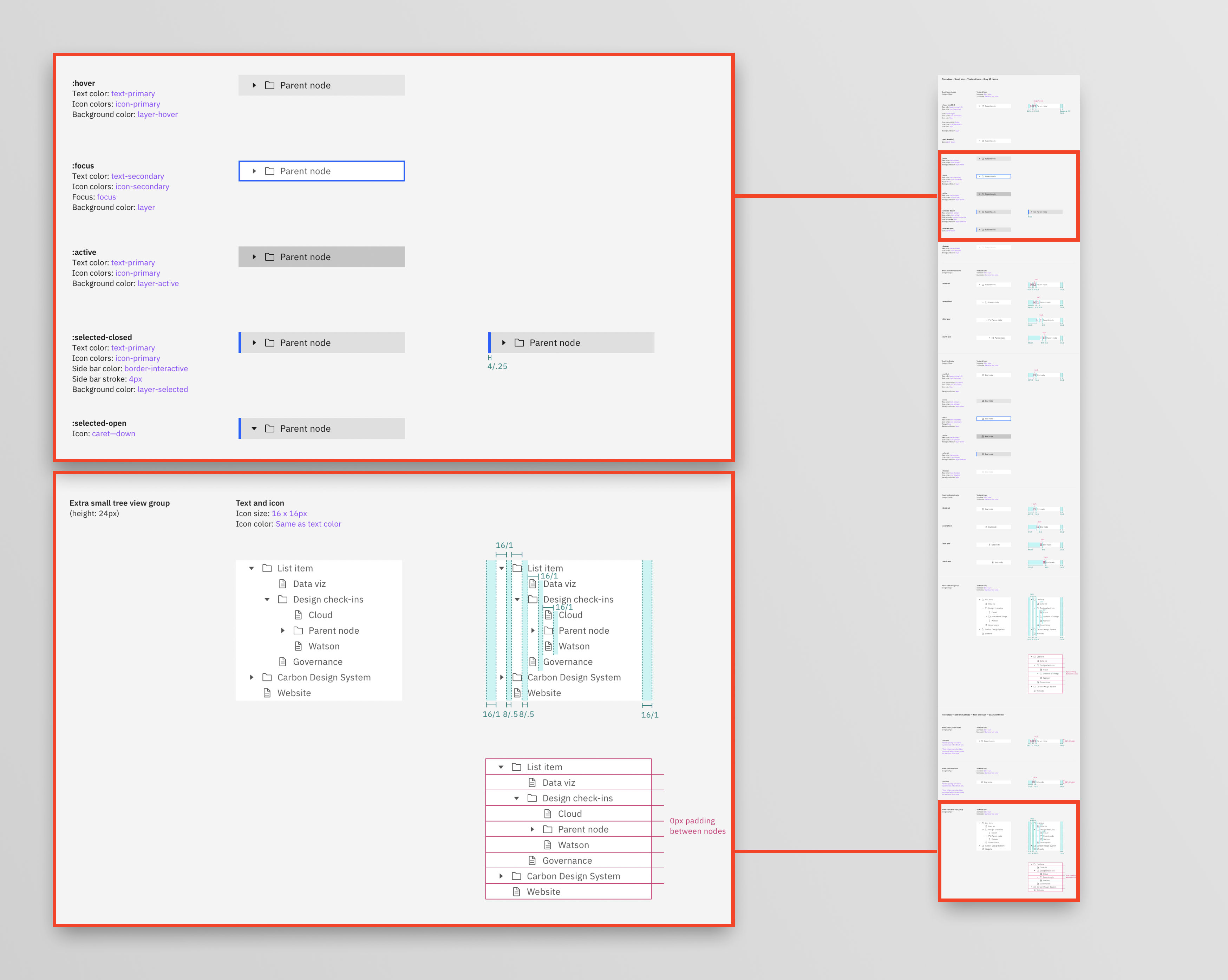
Interaction and state specifications for focus, hover, selection, and expansion, with notes tied back to W3C ARIA Tree guidance.
Documenting these details helped ensure that every implementation behaved consistently and that teams adopting the component did not have to rediscover accessibility best practices on their own.
All of the design explorations were shared and discussed in the open on GitHub. That included directions that we chose not to pursue: different grouping treatments, alternative expand indicators, and visual patterns inspired by other IBM products and external tools.
By keeping work visible, we gave designers and engineers a chance to react early, request capabilities, and understand why certain choices were made. It also created a paper trail that future contributors could reference when proposing enhancements.

Visual explorations for how we might visually show child nodes under an expanded parent node for icon and non-icon versions as well as how to be the most efficient with space.
Tree View initially launched as an experimental component. This gave us room to collaborate with real teams and their products, gather feedback, and itterate before releasing the final version in the Carbon library.
To support adoption, I created:
- A dedicated Sketch kit for the Gray 10 theme
- Usage documentation for the Carbon website, including do/don’t guidance
- Examples showing variants with and without file-type icons
- Notes for future enhancements such as multi-select, drag and drop, and advanced batch actions
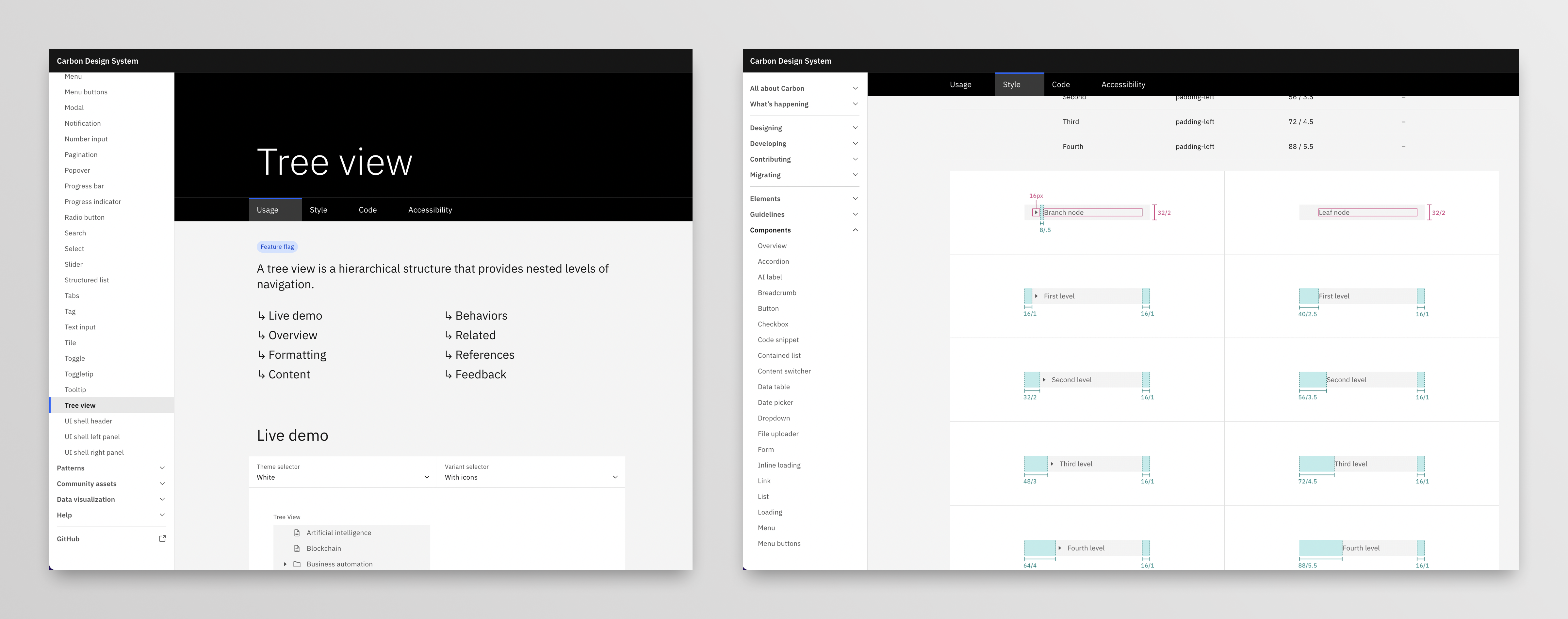
Documentation for Tree View on the Carbon website, including guidance on when to use it, keyboard behavior, and accessibility considerations.
-
A core Carbon component for hierarchical data.
Tree View gave IBM Cloud and IBM Software teams a standard, accessible way to represent nested information without reinventing the pattern in each product. -
Reduced design and engineering duplication.
Teams could stop building one-off trees and instead focus on the domain problems they were solving, not the underlying widget. -
Improved accessibility and consistency.
Aligning with W3C ARIA Tree guidance ensured that keyboard and screen reader experiences were predictable across implementations. -
A model for community-driven components.
The open GitHub process, audits, and recorded playback helped establish a pattern for how Carbon could handle future complex components.